
Case Overview
1. Swiss Alps Red Train Aerial (Text to Video)
Create photorealistic documentary drone footage purely from text — featuring a classic Swiss red mountain train gliding across a towering stone arch viaduct with drifting morning mist, sweeping aerial camera motion, and authentic outdoor sound.Final output: Seedance 2.5 · Text to video · 9:16 · 8s · 1080p (with synchronized train rail clatter, alpine wind, and glacial river ambience).
Prompt
Settings (Draft vs. Final)
Why This Works
- Documentary camera cues eliminate the “CGI look”: Asking for “authentic documentary aerial cinema footage”, “natural real-world color grading”, and “subtle atmospheric haze” produces realistic dynamic range and crisp masonry/foliage texture instead of oversaturated AI gloss.
- One clean, continuous camera move: A steady aerial pull-back and gentle ascent naturally showcases
9:16vertical depth — moving from the red train and stone piers up to the snow-covered peaks. - Draft at
480pbefore rendering1080p: Iterating at5s+480pcosts296credits (roughly 1/9th of8s+1080p), letting you dial in camera framing and pacing cheaply first.
2. Rainy Neon Ramen Alley (Image to Video · First Frame)
Bring a static illustration or concept art piece to life in crisp2k resolution while keeping signs, architecture, and line work rock-solid.
Input Asset (First Frame)
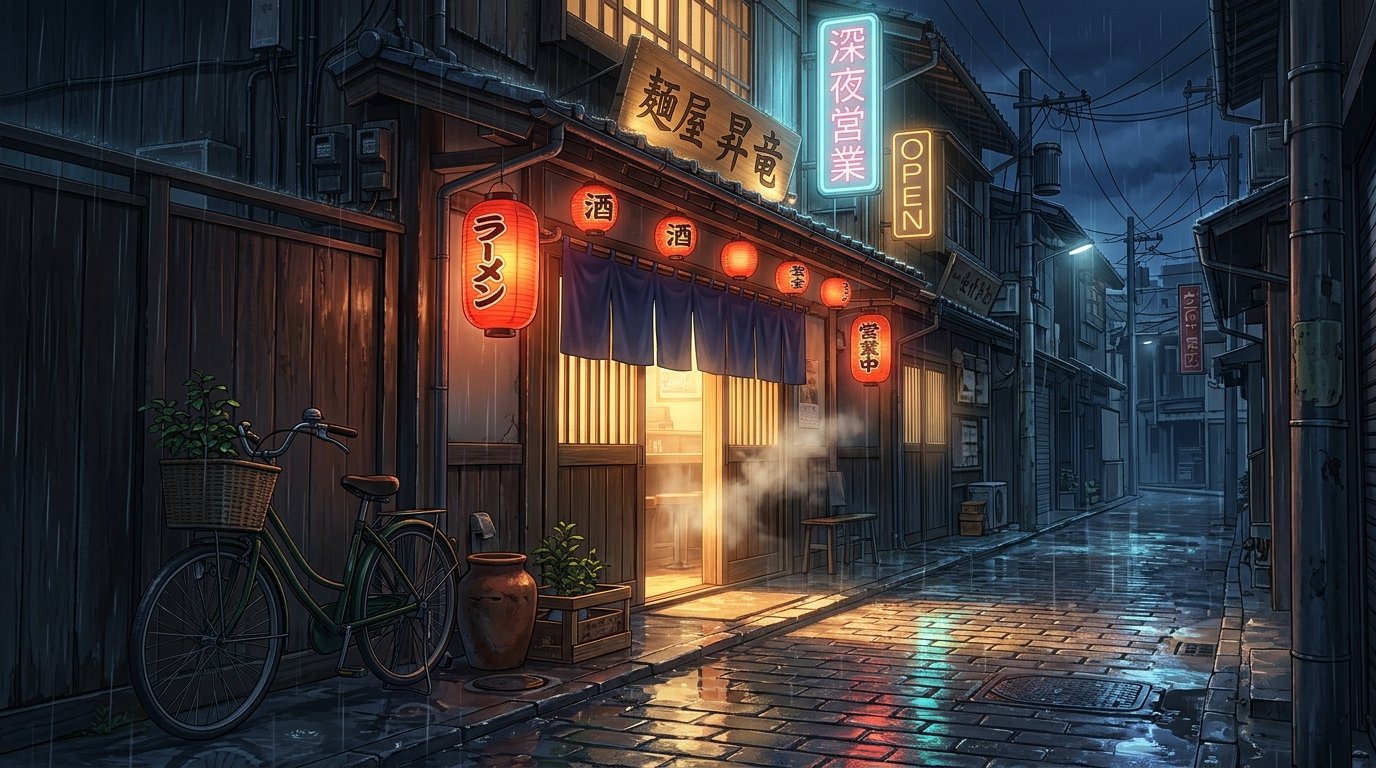
Uploaded First frame (16:9 anime-style rainy ramen alley illustration). Right-click to save and try it yourself.
Output Video
Final output: MiniMax H3 · Image to video · Follows input image · 6s · 2k (with steady rain and alley ambience).
Prompt
Settings (Draft vs. Final)
Why This Works
- Animate only what should move: Because the model already sees the illustration, the prompt skips re-describing static objects (bicycle, wooden wall, sign text) and focuses strictly on moving layers — rain, puddle ripples, curling steam, gentle lantern sway, and a restrained push-in.
- Preserves text & line work: Restrained camera movement paired with
MiniMax H3at2kkeeps Japanese signage sharp instead of melting or hallucinating characters. - High quality-to-credit ratio:
MiniMax H3renders crisp2kanimation for only449credits at6s, making it ideal for animated posters, YouTube intros, and looping backdrops.
3. Morning-to-Starry-Night Timelapse (Image to Video · First + Last Frame)
Lock the camera position and supply both a First frame and a Last frame to direct a seamless full-day lighting transition in native2k.
Input Assets (First Frame → Last Frame)
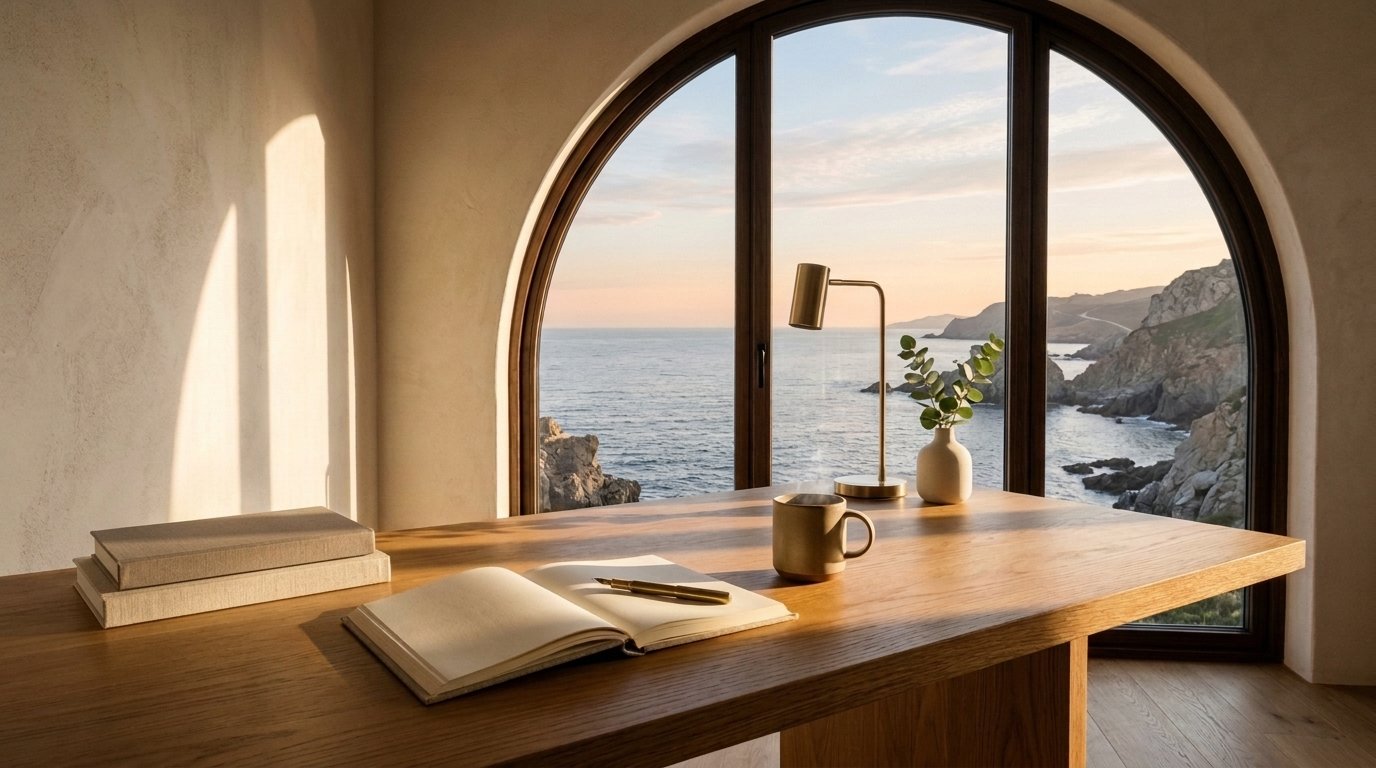
First frame: Crisp morning sunlight with desk lamp off.
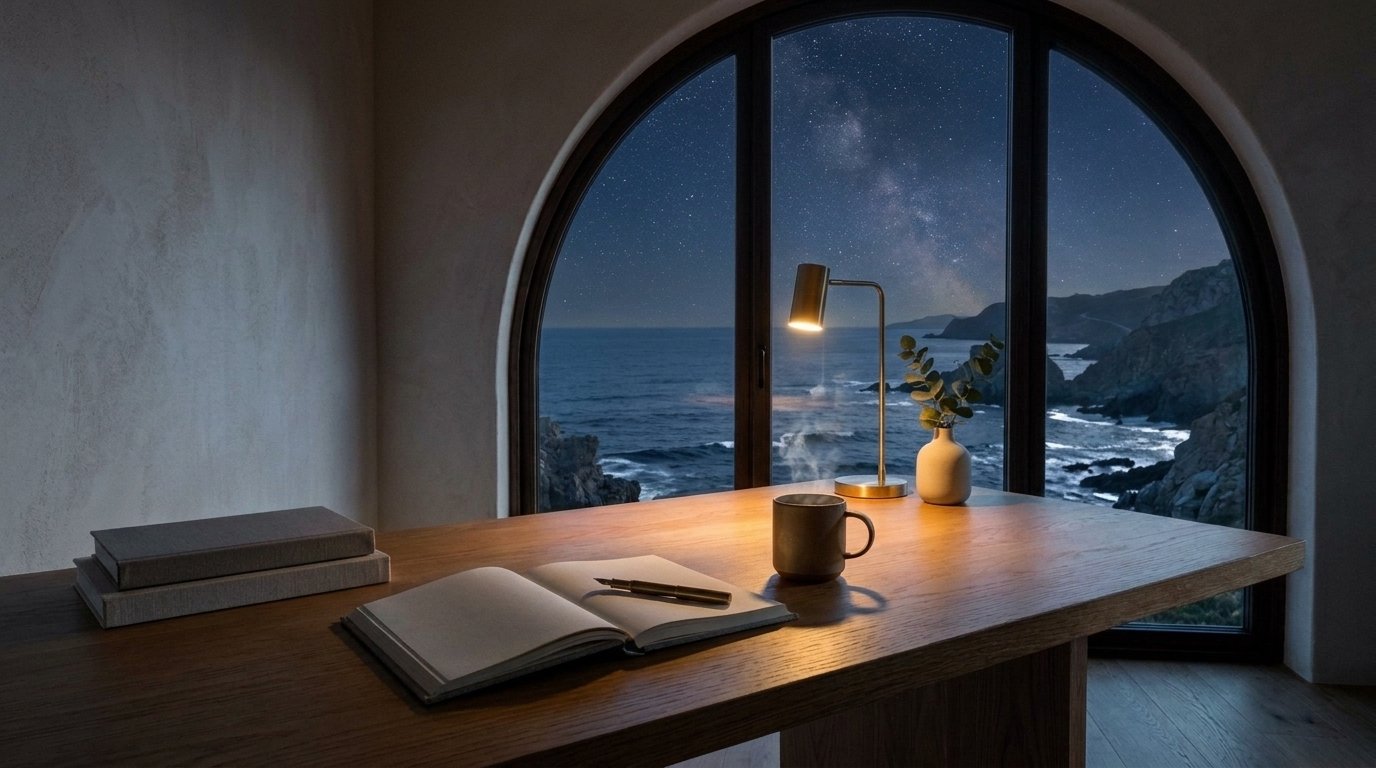
Last frame: Starry Milky Way night with brushed-brass desk lamp on.
Output Video
Final output: MiniMax H3 · Image to video (First + Last frame) · Follows input image · 10s · 2k.
Prompt
Settings (Draft vs. Final)
Why This Works
- Pixel-locked framing across both frames: Keeping every object (window mullions, desk, linen books, sketchbook, mug, lamp, vase) in the exact same position prevents awkward morphing and lets the model devote all its motion to sky, shadows, and lamp lighting.
- Avoid clocks or small readable digits in time-lapses: Natural light arcs (morning sunbeams → amber sunset → blue twilight → starry night + desk lamp turning on) read effortlessly, whereas digital or flip clocks often display frozen or illogical time jumps across compressed shots.
- Describe the middle stages and give enough duration: Neither input frame shows sunset — explicitly describing “a vivid amber sunset glowing over the ocean cliffs before fading into deep blue twilight” over
10sproduces a smooth, believable progression.
4. Enchanted Forest Robot Mini-Film (Reference to Video · 3 Images)
Separate your character, prop, and environment into distinct reference images and bind each one with inline blue reference tags so design details stay consistent across shots.Input Assets (3 Reference Images)
Upload these three images in exact order (Image 1, Image 2, Image 3) in Reference to video mode:
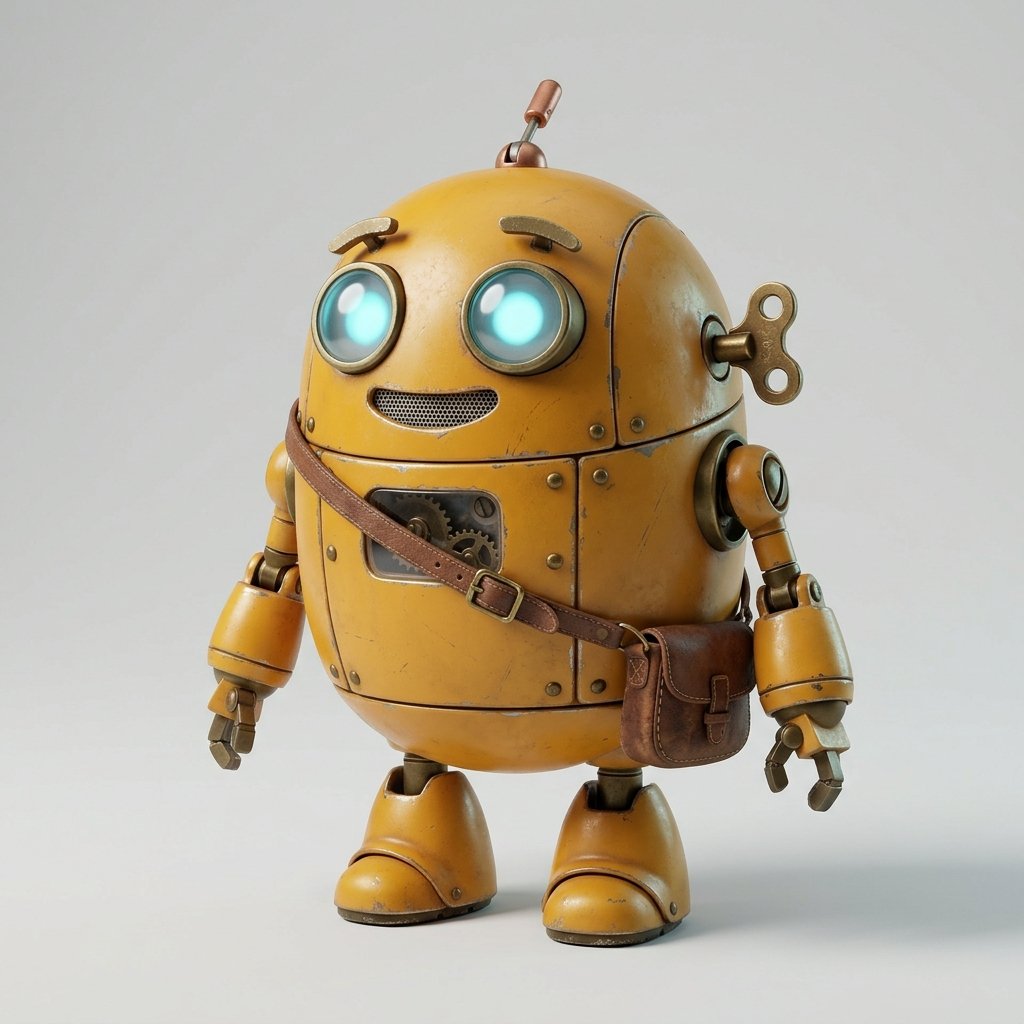
Image 1 — Character (yellow clockwork robot)
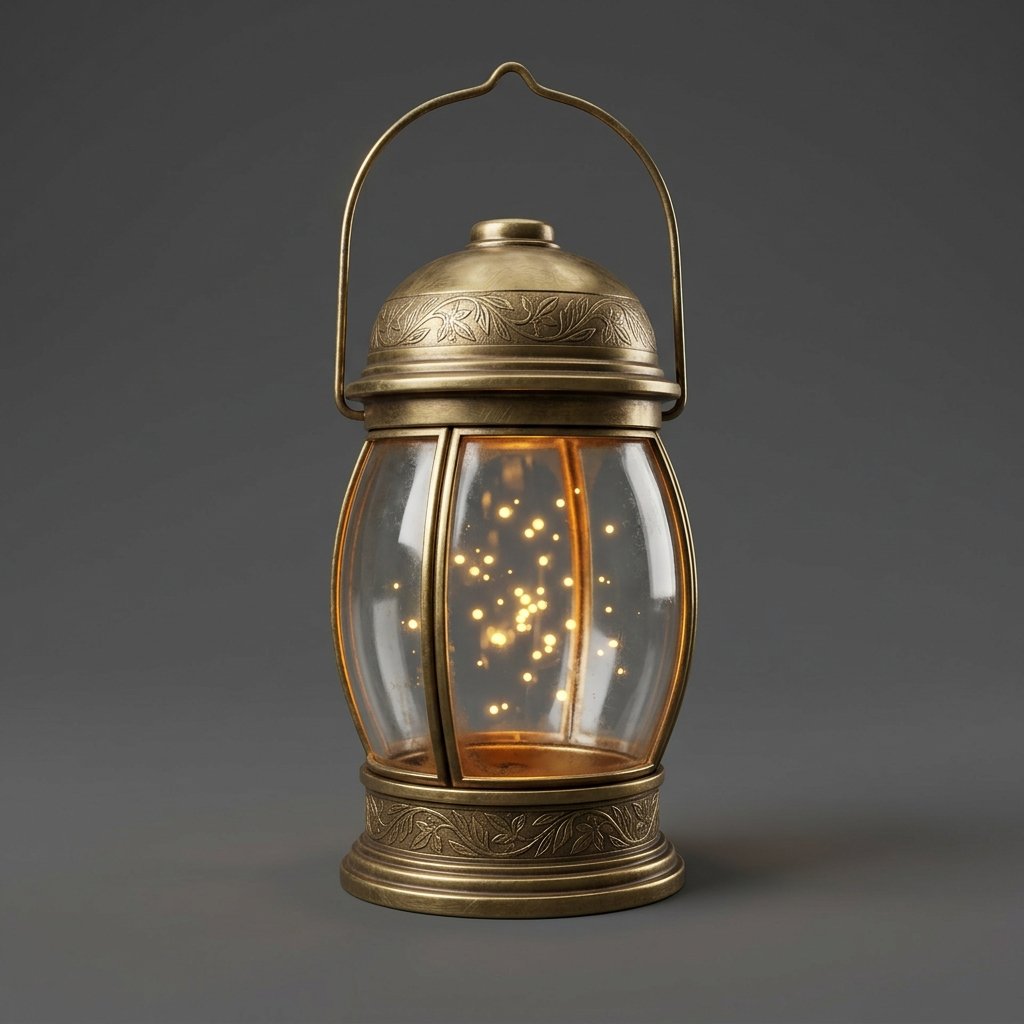
Image 2 — Prop (antique firefly lantern)
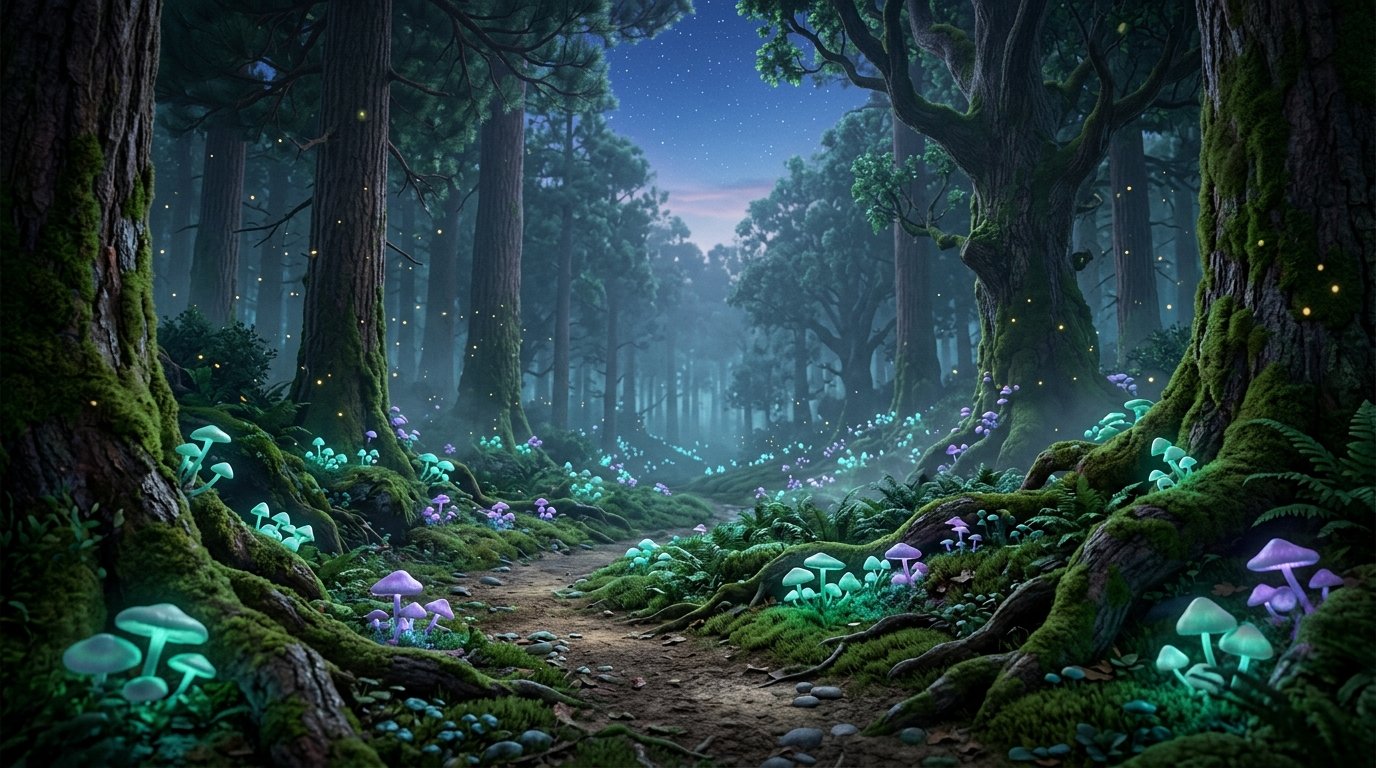
Image 3 — Environment (twilight mushroom forest)
Output Video
Final output: Seedance 2.0 · Reference to video (3 images) · 16:9 · 8s · 1080p.
Prompt
When entering the prompt in ChatHub, replace each[Image N] placeholder below by clicking the blue Image N label below the matching thumbnail (or dragging the thumbnail into the prompt box):
Settings (Draft vs. Final)
Why This Works
- One image, one clear role: Isolating the character (
Image 1) and prop (Image 2) on clean studio backgrounds while keeping the scene (Image 3) completely empty of characters lets the model combine all three cleanly without visual clutter. - Consistent 3D art direction: All three reference images share the same stylized 3D PBR film look, so the robot and lantern naturally pick up the forest’s lighting and reflections.
- Match output aspect ratio to your background: Choosing
16:9matches the framing ofImage 3and gives the tracking shot plenty of horizontal breathing room.